Appearance
单行文本字段
单行文本字段是最常用的字段之一。它将一个字符串保存到数据库,并为管理面板提供一个简单的文本输入。
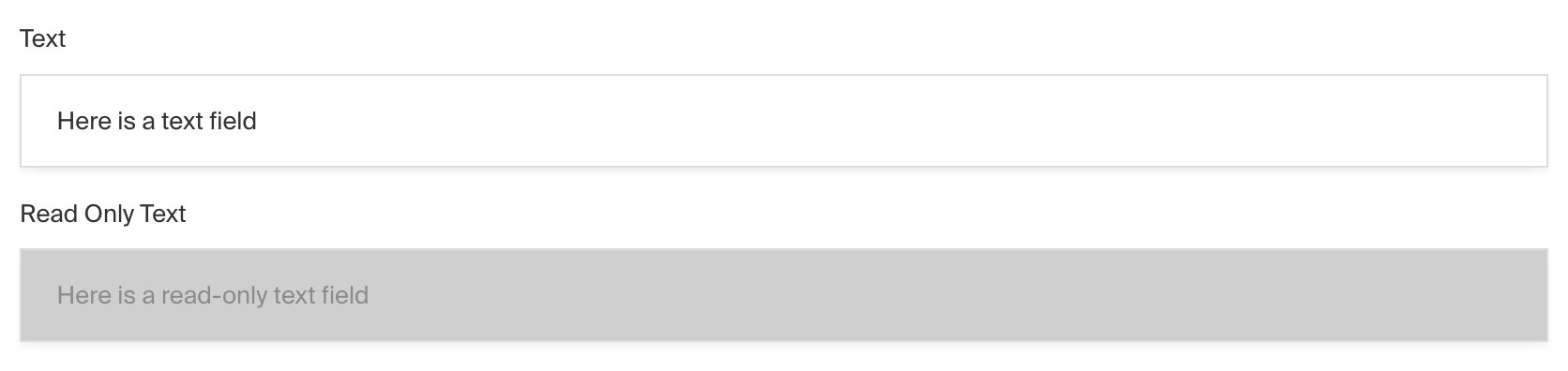
文本字段和只读文本字段的管理面板截图
要添加文本字段,请在字段配置中将类型设置为 text:
javascript
import type { Field } from 'payload'

export const MyTextField: Field = {
  // ...
  type: 'text',
}
配置选项
| 选项 | 描述 |
|---|---|
| name * | 用作存储和检索数据库时的属性名称。 |
| label | 在管理面板中作为字段标签的文本,或者是一个对象,包含每种语言的键值对。 |
| unique | 强制确保每个集合中的条目对于此字段具有唯一值。 |
| minLength | 默认验证函数使用此选项确保值具有最小字符长度。 |
| maxLength | 默认验证函数使用此选项确保值具有最大字符长度。 |
| validate | 提供自定义验证函数,该函数将在管理面板和后端执行。 |
| index | 为此字段建立索引,以提高查询速度。如果用户经常在此字段的数据上执行查询,请将此字段设置为 true。 |
| saveToJWT | 如果该字段是顶级字段并且嵌套在支持身份验证的配置中,则将其数据包含在用户的 JWT 中。 |
| hooks | 提供字段钩子,用于控制该字段的逻辑。 |
| access | 提供字段访问控制,指示哪些用户可以查看和操作该字段的数据。 |
| hidden | 完全限制此字段在所有 API 中的可见性。仍会保存到数据库,但在任何 API 或管理面板中不可见。 |
| defaultValue | 提供该字段的默认值数据。 |
| localized | 启用该字段的本地化功能。要求在基本配置中启用本地化。 |
| required | 强制要求此字段必须有值。 |
| admin | 管理面板特定的配置。 |
| custom | 用于插件扩展的自定义数据。 |
| hasMany | 使此字段成为文本的有序数组,而不仅仅是单个文本。 |
| minRows | 如果 hasMany 设置为 true,则为数组中的文本设置最小数量。 |
| maxRows | 如果 hasMany 设置为 true,则为数组中的文本设置最大数量。 |
| typescriptSchema | 通过提供 JSON 架构来覆盖字段类型生成。 |
| virtual | 设置为 true 可禁用数据库中的字段。参见虚拟字段。 |
以星号标记的选项为必填项。
管理员选项
要自定义文本字段在管理面板中的外观和行为,可以使用 admin 选项:
javascript
import type { Field } from 'payload'

export const MyTextField: Field = {
  // ...
  admin: {

    // ...
  },
}
文本字段继承了基础字段管理员配置的所有默认选项,并具有以下额外选项:
| 选项 | 描述 |
|---|---|
placeholder | 设置此属性以定义文本输入框中的占位符字符串。 |
autoComplete | 设置此属性为一个字符串,用于浏览器自动填充功能。 |
rtl | 覆盖管理面板中此字段的默认文本方向。设置为 true 强制使用从右到左的文本方向。 |
示例
collections/ExampleCollection.ts
javascript
import type { CollectionConfig } from 'payload'

export const ExampleCollection: CollectionConfig = {
  slug: 'example-collection',
  fields: [
    {
      name: 'pageTitle', // required
      type: 'text', // required
      required: true,
    },
  ],
}
自定义组件
字段
服务器组件
javascript
import type React from 'react'
import { TextField } from '@payloadcms/ui'
import type { TextFieldServerComponent } from 'payload'

export const CustomTextFieldServer: TextFieldServerComponent = ({
  clientField,
  path,
  schemaPath,
  permissions,
}) => {
  return (
    <TextField
      field={clientField}
      path={path}
      schemaPath={schemaPath}
      permissions={permissions}
    />
  )
}
客户端组件
javascript
'use client'
import React from 'react'
import { TextField } from '@payloadcms/ui'
import type { TextFieldClientComponent } from 'payload'

export const CustomTextFieldClient: TextFieldClientComponent = (props) => {
  return <TextField {...props} />
}
标签
服务器端组件
javascript
import React from 'react'
import { FieldLabel } from '@payloadcms/ui'
import type { TextFieldLabelServerComponent } from 'payload'

export const CustomTextFieldLabelServer: TextFieldLabelServerComponent = ({
  clientField,
  path,
  required,
}) => {
  return (
    <FieldLabel
      label={clientField?.label || clientField?.name}
      path={path}
      required={clientField?.required}
    />
  )
}
客户端组件
javascript
'use client'
import React from 'react'
import { FieldLabel } from '@payloadcms/ui'
import type { TextFieldLabelClientComponent } from 'payload'

export const CustomTextFieldLabelClient: TextFieldLabelClientComponent = ({
  field,
  path,
}) => {
  return (
    <FieldLabel
      label={field?.label || field?.name}
      path={path}
      required={field?.required}
    />
  )
}